Setting up a Shortcut for Quick, Pre-configured Startup
A shortcut can be added to the desktop by clicking the right button on the executable, and then selecting "Create Shortcut". This will place a shortcut of that executable in that same directory. Then, using the left mouse button, click on the shortcut and drag it to the desktop. At this point, double-clicking on the shortcut ICON would startup uCon with the startup dialog box discussed in the uCon overview. To add additional text to the command line invoked as a result of double-clicking on the icon, click the right mouse button over the icon and select Properties.
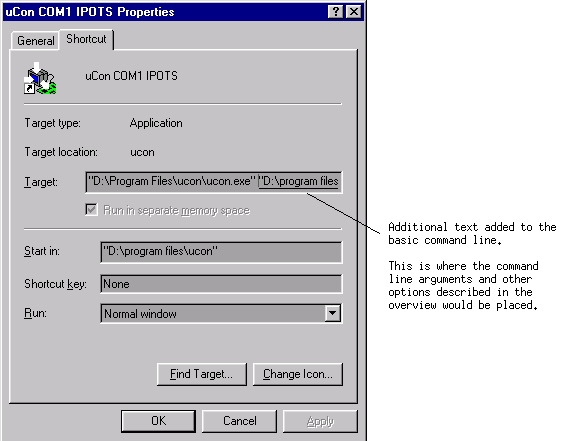
The shortcut can then be labeled based on the arguments attached to the ucon.exe command; hence, multiple shortcuts can be set up on the desktop to support several different automatic uCon startups.